
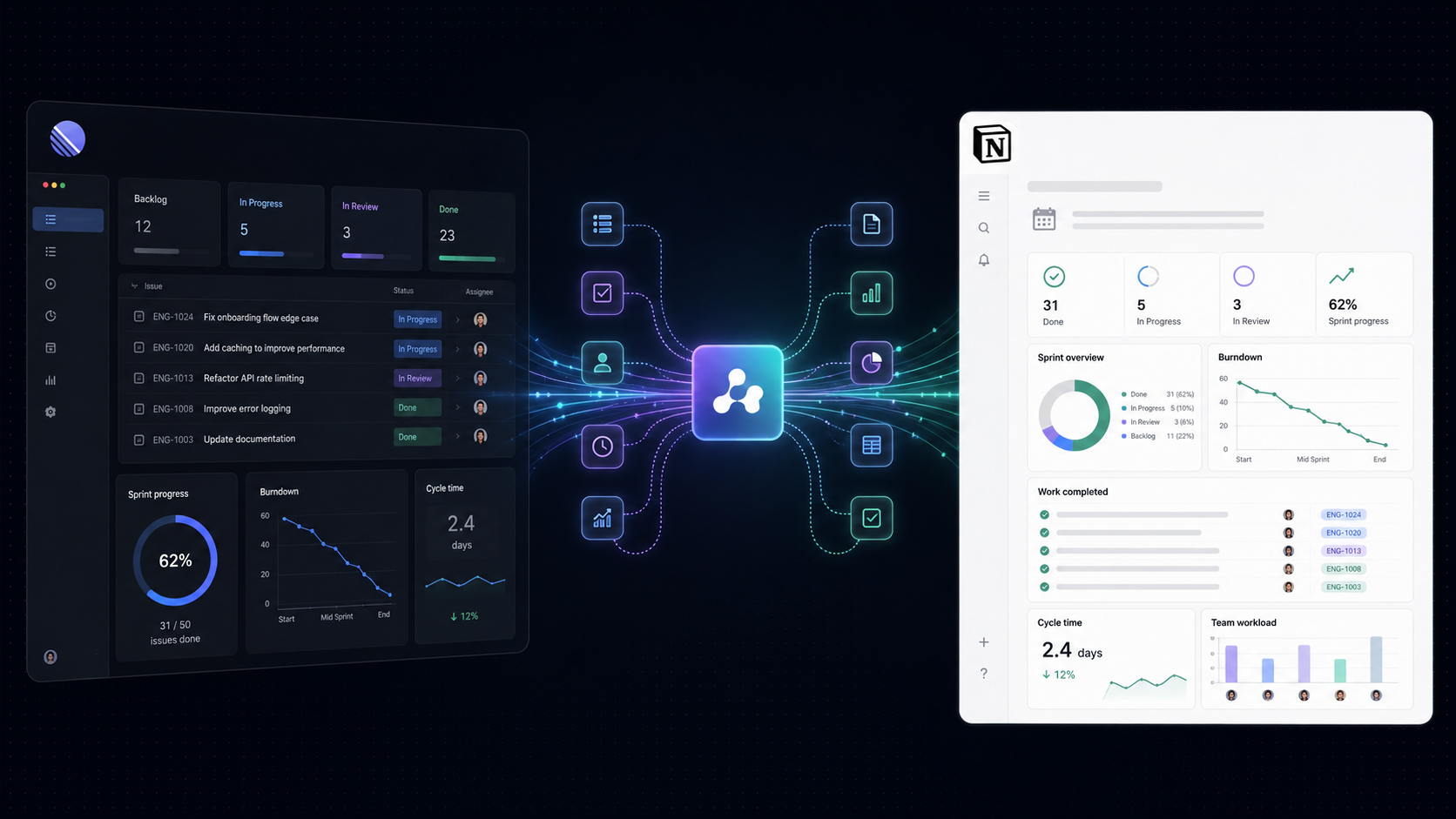
Quick Answer: Manual sprint reporting wastes hours every sprint. Engineering and product teams can automate sprint reports by connecting Linear directly to Notion — automatically generating structured sprint summaries, velocity data, and blockers the moment a sprint closes, with zero copy-paste.
At the end of every sprint, someone on your team sits down to write the report. They open Linear, scan through closed issues, count the completed points, note the blockers, and manually paste everything into Notion or a shared doc hoping they haven't missed anything.
It takes 30 to 90 minutes. Then next sprint, it happens again.
Over a year, a single Scrum Master or Engineering Manager running bi-weekly sprints loses between 13 and 39 hours to this task alone.
The problem is not just the lost time. Manual sprint reporting introduces three compounding operational issues:
Sprint reporting is not a low-value task. It is the primary record of how your team is performing and how delivery is trending.
So, it deserves automation, not manual effort.
Most sprint reports fail because there is no standardized framework. One sprint gets a detailed breakdown of blockers; the next gets a quick bulleted list of shipped features; the one after that never gets written at all.
A useful sprint report answers three questions consistently:
Everything else follows from that.
In practice, that means capturing:
The challenge is not knowing what belongs in the report. The challenge is that pulling this information together manually, every fortnight, from a tool like Linear and pasting it into Notion takes time that compounds across the year.
That is the problem automation solves.
Here is how manual and automated sprint reporting compare across the dimensions that matter most for engineering and product teams:
The most effective way to automate sprint reporting for engineering teams using Linear is to connect Linear directly to Notion using a workflow automation platform.
When a sprint (cycle) closes in Linear, the automation triggers and creates a fully structured sprint report page in Notion — automatically, with no human input required.
Setting up your automated workflow using Flomation takes under ten minutes. Here is how simple it is to configure:
Authorize your Linear and Notion accounts within Flomation. This gives the visual builder permission to read cycle metrics from Linear and write pages to your chosen Notion workspace database.
Set your workflow trigger to Linear Cycle Completed. This guarantees that as soon as a sprint closes, the reporting engine initiates without requiring anyone to press a button.
Select your target Notion database template. Map Linear metrics (such as Cycle Name, Completed Points, Issue List, and Blockers) to the corresponding Notion page headers and properties.
Run a test payload to verify that your Notion page formats correctly, then set the workflow to active. From that point forward, every sprint close generates a clean report automatically.
Once active, the workflow runs automatically at the end of every sprint. No scheduling, no manual triggers.
The exact information captured depends on your Linear configuration and how consistently your team records blockers, scope changes, estimates, and issue statuses.
Here is what Flomation's integration captures automatically from each Linear sprint:
Sprint reporting automation delivers measurable business value across three categories.
Assuming a 45-minute average for manual sprint report creation and bi-weekly sprints, a single team saves approximately 19.5 hours per year per report writer. Across five engineering teams, that is nearly 100 hours annually — returned to productive engineering and operations work.
Automated sprint reports are built from the same data source your team uses to track work. There is no transcription, no rounding, and no omission. Every report is auditable back to the individual issue in Linear.
This matters when sprint data informs capacity planning, roadmap conversations, and headcount decisions. Decision-makers need accurate velocity and completion data — not approximations written from memory the day after the sprint.
When the factual sprint data is available before the retrospective begins, the meeting can focus on interpretation rather than collection.
Instead of spending time asking what happened, the team can discuss:
Automation provides the factual foundation.
The team still provides judgment, context, and decisions.
Sprint reporting automation is the use of workflow tools to automatically generate sprint reports from project management data without manual aggregation or copy-paste. When a sprint closes, the automation pulls relevant data and creates a structured report in the team's documentation tool, such as Notion.
Yes. Flomation's Linear to Notion sprint reporting integration connects your Linear cycles directly to Notion. When a sprint closes in Linear, a complete sprint report is automatically created in Notion, including velocity, completed issues, blockers, and carry-forward items.
The setup time depends on the complexity of the report, the number of fields being mapped, workspace permissions, and the quality of the existing Linear data.
A basic Linear-to-Notion workflow can be configured quickly when the team already has:
More advanced reports may require additional field mapping, testing, and error handling.
An automated sprint report from Linear includes: sprint name and dates, planned vs. completed story points, velocity, individual issues completed, issues carried forward, blocked issues, mid-sprint removals, and optionally an assignee breakdown. All data is pulled directly from Linear. No manual input required.
No. Automated sprint reports provide the factual foundation for a retrospective but they do not replace the team conversation. In fact, automation improves retrospectives by ensuring accurate data is available from the moment the sprint closes, rather than being compiled during or after the meeting.
Sprint reporting automation refers to the process of automatically generating sprint reports at the close of each sprint. Sprint documentation is the broader category including sprint planning notes, retrospective records, and any team notes added manually.
Automation handles the data-driven parts of sprint documentation so teams can focus their time on the qualitative elements.
Start Automating Your Sprint Reports Today
Connect Linear and Notion with Flomation →
Connect Linear to Notion, map your reporting fields, and generate a structured report automatically when each cycle closes.