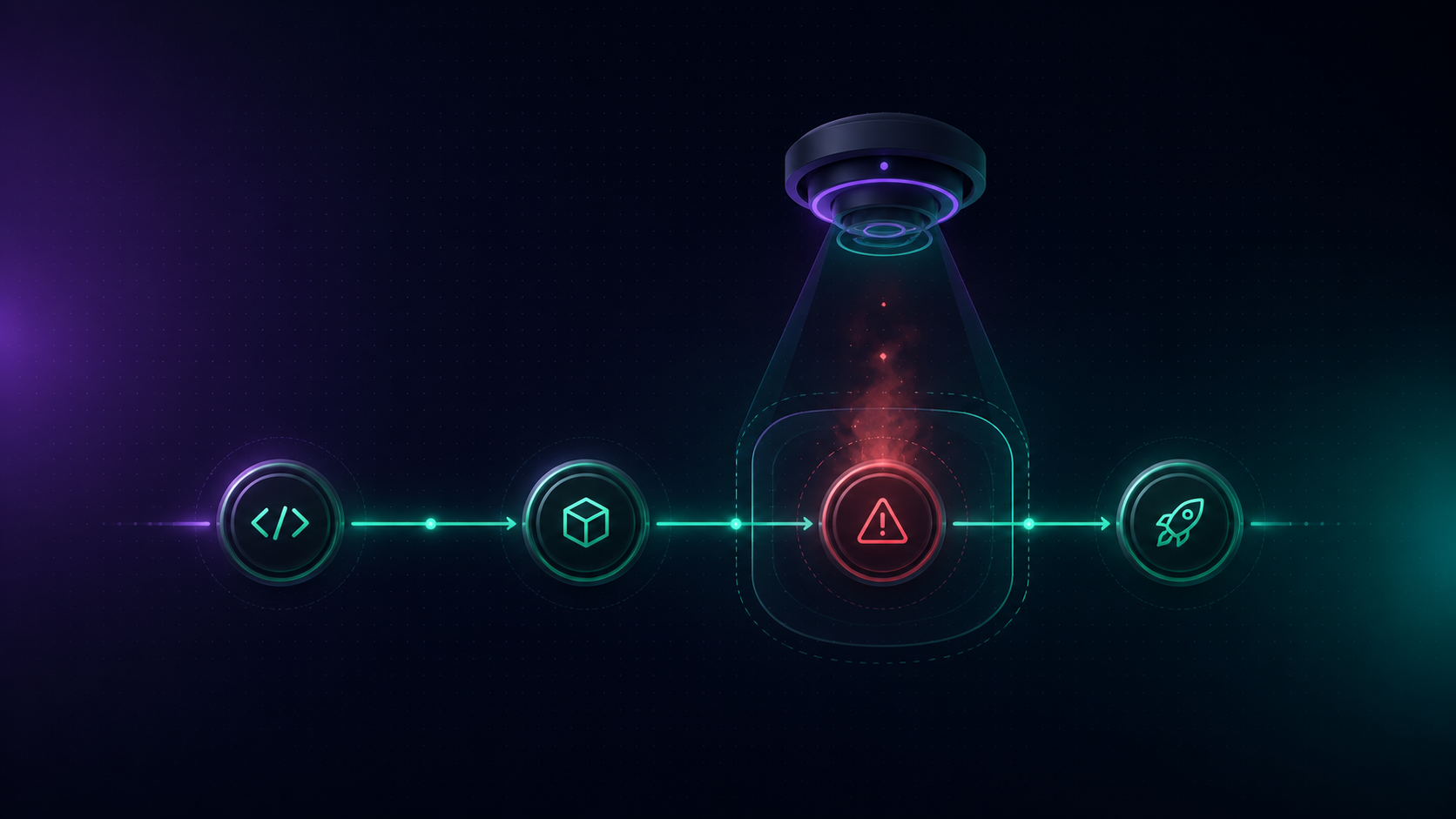
How to Improve Your Code Review Process and Never Miss a Pull Request Again

Struggling with slow code reviews and missed pull requests? Learn how high-performing engineering teams automate PR notifications with GitHub → Slack workflows using Flomation and never miss a review again.
Flomation
Jun 23, 2026

The Pull Request That Nobody Reviewed

Picture this: a developer on yourteam opens a pull request on a Monday morning. It sits untouched for threedays. By Thursday, it has merge conflicts. By Friday, the feature it wassupposed to unblock is delayed and the sprint goal is at risk.

Sound familiar?

For most engineering teams, the code review process is the single biggest chokepoint between writing code and shipping it. Research analyzing over 8.1 million pull requests shows that mid-sized engineering teams lose an average of 5.8 hours per developer everyweek to inefficient code review processes. A typical review takes 2–4 businessdays to complete not because the code is complex, but because no one noticedthe PR was waiting.

The problem isn't your engineers.It's the silence between GitHub and the people who need to act.

This guide breaks down why pullrequests get ignored, what the best engineering teams do differently, and howyou can automate the entire review notification workflow using Flomation so every PR gets seen,reviewed, and merged without manual chasing.

Why Pull Requests Get Ignored

Before fixing the problem, ithelps to understand why it happens. PRs don't get missed because your team islazy. They get missed because your tooling creates a visibility gap.

When a developer opens a pullrequest on GitHub, the notification lives inside GitHub. Your reviewers,however, live in Slack. They're in stand-up threads, in #general, in DMs not intheir GitHub notification inbox. By the time they check GitHub, the PR has beenburied under ten other notifications.

This is the core issue: code changes happen in GitHub, butconversations happen in Slack. When those two worlds don't communicateautomatically, pull requests fall through the gap.

A few common triggers that cause PRs to go unreviewed:

·      No instant alert when a new PR is opened reviewersrely on GitHub's notification emails, which are easy to ignore

·      No reminder if a PR remains open beyond 24–48hours without a review

·      No direct notification to the assigned reviewer viatheir Slack DM

·      No dedicated channel where the team can see all activePRs at a glance

·      No merge notification, so downstream team members don'tknow when to pull the latest code

Theresult? Developers dissatisfied with code review are 2.6x more likely to seeknew jobs. Slow reviews don't just hurt velocity they hurt retention.

Common Code Review Bottlenecks(And What's Actually Causing Them)

High PR review times usually traceback to a handful of root causes that repeat across teams:

1. PRs Are Too Large


A SmartBear study of a CiscoSystems programming team found that developers should review no more than 200to 400 lines of code at a time beyond that, the ability to find defectsdiminishes significantly. Analysis of 50,000+ pull requests across 200+ engineeringteams confirms this: large PRs trigger cognitive overload, leading to rushedapprovals and missed critical issues.

Warning signs your PRs are toolarge:

·      Reviewstaking 3+ days for approval

·      Reviewersleaving generic comments like "LGTM"

·      Bugsdiscovered in production that should have been caught in review

Developersavoiding thorough reviews due to time constraints

2. Reviewer Assignment Is Manualor Unclear

When it's not obvious who irresponsible for reviewing a PR, everyone assumes someone else will do it. Without explicit, automatic assignment or a direct Slack notification to the assigned reviewer PRs stall at the very first stage.

3. No Response Time SLAs Exist

Teams that don't agree on amaximum acceptable review time have no way to flag when a PR is falling behind.Best practice is to aim for an initial review response within 24 hours to keepdevelopment moving smoothly. Without a shared agreement and automatedreminders, there's nothing to enforce this expectation.[^6]

4. Review Load Is Concentrated on a Few People

Analyzing review patternsfrequently reveals that a small number of engineers are handling adisproportionate share of reviews. When those reviewers get busy, the wholepipeline slows down. Rotating reviewers and using expertise-based routingideally automated distributes the load and prevents individual bottlenecks.

5. Communication Is FragmentedAcross Tools

Without a single, structuredchannel for code review activity, updates live in GitHub, email, Slack DMs, andsprint boards simultaneously. No one has a complete picture, and criticalactions like merging an approved PR get delayed simply because the right persondidn't see the right message.

How High-Performing Teams ReviewCode

The engineering teams with thefastest, most reliable review cycles share a set of structural practices thatdistinguish them from teams that struggle. Google's engineering practicesguide, widely regarded as the industry benchmark, alongside research fromMicrosoft and Meta, points to the same fundamentals:

Keep PRs Small and Purposeful

Aim for 200–400 lines of code perPR. Smaller PRs get reviewed faster, receive better feedback, and merge withfewer conflicts. For complex features, use stacked pull requests sequential,dependent PRs that reviewers can examine incrementally. This approachdramatically improves throughput.

Bestpractice: Review your own diff beforeclicking "Request review." Catching your own typos and debugstatements saves reviewers time and demonstrates diligence.

Define a Repeatable Review Process

The most explicit the reviewprocess, the less likely the ball gets dropped. Document what a good reviewlooks like, pin it in your #code-reviews Slack channel, and make itvisible to every new team member. Include expectations around response time,what reviewers should look for (functionality, design, complexity, tests,naming, documentation), and who has the authority to approve and merge.

Automate Baseline Checks BeforeHuman Review

Use CI/CD pipelines to run tests,linters, and formatters automatically. When machines catch formatting errors,style violations, and test failures before a human ever looks at the code,reviewers can focus on what machines can't catch design decisions, logiccorrectness, and security implications. This is what separates teams thatreview for quality from teams that review for survival.

Set Clear Response SLAs

Agree on a realistic maximumreview time 7 to 14 days is a good starting point for full cycle time, but aimfor an initial response within 24 hours. Track it. When reviews consistentlymiss the SLA, it's a signal to investigate whether reviewer capacity, PR size,or notification gaps are the root cause.

Build a Feedback Loop Into Slack

The most effective teams surfacecode review activity where the team already communicates. Creating a dedicated #code-reviews Slack channel with clearexpectations posted and pinned gives the team a single, structured home for allreview activity. When this channel is fed automatically from GitHub, it becomesthe team's always-current view of what's open, what's waiting, and what justmerged.

How to Reduce Pull Request ReviewTime

Faster reviews don't requirehiring more engineers. They require removing the friction that slows down theengineers you already have.

Here are the highest-leverageinterventions, ranked by impact:

  • Action: Automate PR notifications in Slack
    Problem: Reviewers don't see new PRs.
    Expected Impact: Immediate visibility for every PR.
  • Action: Set a 24-hour first-review SLA
    Problem: PRs stall without accountability.
    Expected Impact: Measurable reduction in time-to-first-review.
  • Action: Cap PR size at 400 LOC
    Problem: Cognitive overload slows review.
    Expected Impact: Faster reviews and better feedback quality.
  • Action: Assign reviewers automatically
    Problem: Manual assignment creates gaps.
    Expected Impact: Ensures every PR has an accountable reviewer.
  • Action: Send Slack reminders for stale PRs
    Problem: PRs go unresolved past their SLA.
    Expected Impact: Surfaces at-risk PRs before they become blockers.
  • Action: Create a dedicated #code-reviews channel
    Problem: Review activity is scattered.
    Expected Impact: Provides a single source of truth for all PR activity.
  • Action: Rotate reviewers on a schedule
    Problem: Review workload concentrates on a few team members.
    Expected Impact: Prevents individual bottlenecks and distributes workload more evenly.

The single biggest unlock for most teams is the first item on that list:automating PR notifications in Slack else compounds on top of that foundation. If your team doesn't know a PR exists until they check GitHub, no amount of SLA policy or PR sizediscipline will move the needle

How to Notify ReviewersAutomatically with Flomation

This is where Flomation comes in.

Flomation is an AI-native workflow automation platform that connects GitHub and Slack through a visual builder no code required, unless you want it. For engineering teams, the most immediate use case is building GitHub → Slack notification workflows that ensure every pull request, every reviewer assignment, every PR reminder, and every merge event is surfaced in Slack automatically without anyone having to manually post or ping.

Here's how each subtopic in yourcode review process maps to a Flomation workflow:

Workflow 1: Never Miss a New PullRequest

Problem: PRs aren't seen by reviewersimmediately after opening.

Flomation workflow:

·      GitHub Trigger: New Pull Request Created

·      Slack Action: Send notification to #engineering or #code-reviews channel

Every time a developer opens a PR, Flomation instantly posts a structured message to your Slack channel includingthe PR title, author, repository, and a direct link. Reviewers see it in realtime, in the tool they're already using. No email lag, no missed GitHubnotification.

Workflow 2: EliminateCommunication Delays During Review

Problem: Delayed reviews and communicationgaps slow down the feedback cycle.

Flomation workflow:

·      GitHub Trigger: Pull Request Opened / Updated

·      Slack Action: Notify the relevant team orassigned reviewer

When a PR is updated whether the author pushes new commits, responds to comments, or requests a re-review Flomation notifies the relevant person in Slack. This closes the loop onback-and-forth review cycles and eliminates the "I didn't see your update"problem that silently extends PR cycle time.

Workflow 3: Standardize theHandoff to Reviewers

Problem: Lack of structured reviewworkflows means the transition from "ready to review" to "underreview" is unclear.

Flomation workflow:

·      GitHub Trigger: Pull Request Ready for Review

·      Slack Action: Notify assigned reviewersdirectly

When a PR moves from draft to "Ready for Review," Flomation sends a direct Slack notification to each assigned reviewer. This creates a reliable, repeatable handoff momentreviewers know exactly when their action is required, and there's no ambiguityabout who is responsible next.

Workflow 4: Send AutomatedReminders for Stale PRs

Problem: Reviews remain pending for too long, blocking merges and downstream work.

Flomation workflow:

·      GitHub Trigger: PR remains open beyond a definedtime threshold

·      Slack Action: Send a reminder message in Slack(to the channel or directly to the reviewer)

This is one of the highest-value workflows for reducing PR cycle time. Rather than relying on a developer to manually ping their reviewer which feels awkward and creates social friction Flomation sends an automated, friendly reminder when a PR hasn't received are view within the agreed SLA. The tone is neutral, the reminder is consistent, and no one has to be the person who keeps asking "can you look at my PR?"

Workflow 5: Eliminate ManualReviewer Follow-Ups

Problem: After a reviewer is assigned,they often have to be manually reminded to act.

Flomation workflow:

·      GitHub Trigger: Reviewer Assigned

·      Slack Action: Send a direct Slack notificationto the assigned reviewer

The moment a reviewer is assigned on GitHub either manually by the PR author or automatically via CODE OWNERS Flomation sends them a direct Slack message. It's the digital equivalent oftapping someone on the shoulder and saying "hey, this PR needs youreyes." Eliminates the mental overhead of tracking your own review queue,and removes the need for the PR author to follow up.

Workflow 6: Prevent PRs fromGetting Buried

Problem: Multiple open PRs compete forvisibility, and older ones get buried under newer activity.

Flomation workflow:

·      GitHub Trigger: New PR Created or PR Ready for Review

·      Slack Action: Post to a dedicated #code-reviews channel, with optional timedreminders

A dedicated #code-reviews channel fed automatically by Flomation gives your team a single, always-current view of every open PR. Combined with stale PR reminders, this ensures older PRs don't get pushed offthe radar by newer ones. Teams that implement this pattern report significantlyfewer "I forgot that PR was open" moments.

Workflow 7: Keep the Whole Team Informed WithoutManual Status Updates

Problem: The broader team lacks awarenessof development activity what's merged, what's in review, what's closed.

Flomation workflow:

·      GitHub Trigger: Pull Request Created, Merged, orClosed

·      Slack Action: Share updates in designated Slackchannels

This workflow keeps engineeringmanagers, tech leads, QA, and product stakeholders informed about the state ofdevelopment without requiring anyone to write a manual status update. When a PRmerges, Slack knows. When a PR closes without merging, Slack knows. The team'sSlack channels become a live, lightweight mirror of what's happening in thecodebase turning GitHub activity into team visibility.

Best Practices for EngineeringTeam Visibility

Visibility is the foundation of ahealthy code review culture. When the team can see what's in review, what'sbeen approved, and what's just merged without context switching to GitHubcommunication overhead drops and velocity increases.

Here's a quick framework forbuilding team-wide engineering visibility with GitHub → Slack automation:

Structureyour Slack channels deliberately:

·      #code-reviews all new PRs, reviewerassignments, and reminders

·      #engineering-updates merges, releases, and deploymentevents

·      #dev-alerts failed CI builds, deploymentissues, urgent flags

Setshared expectations:

·      Postand pin your code review process in #code-reviews

·      Agreeon response time SLAs as a team (e.g., "first review within 24hours")

·     ReviewPR cycle time metrics monthly to identify emerging bottlenecks

Automatethe routine, preserve human judgment for the important:

·      Automatenew PR notifications, reviewer assignments, and stale reminders via Flomation

·      LetCI/CD handle formatting, tests, and basic checks automatically

·      Reservehuman review time for design, security, and architecture decisions

This three-layer approachstructured channels, shared expectations, and smart automation is howhigh-performing engineering teams maintain review quality without sacrificingvelocity.

Why Flomation for GitHub → SlackAutomation

There are several ways to connectGitHub and Slack from GitHub's native integration to custom webhooks tothird-party tools. The native GitHub Slack app covers the basics but requiresmanual configuration per repository and offers limited flexibility for customreminder logic. Building custom webhooks gives you full control but requiresmaintaining code and infrastructure.

Flomation sits in the middle: theflexibility of a custom integration with the speed and simplicity of a visualbuilder. No infrastructure to manage, no code to maintain, no per-task pricingthat punishes you for running reminders across 20 active PRs.

For engineering leaders evaluatingoptions:

GitHub Native Slack App

  • Setup Complexity: Low
  • Flexibility: Limited
  • Maintenance: None
  • Cost Model: Free

Custom Webhook (DIY)

  • Setup Complexity: High
  • Flexibility: Full
  • Maintenance: Ongoing
  • Cost Model: Engineering time

Flomation

  • Setup Complexity: Low
  • Flexibility: High
  • Maintenance: None
  • Cost Model: Minute-based and predictable

Flomation's minute-based pricingmeans you're not charged per notification or per PR you're charged forexecution time. For most teams running PR notifications and reminders, this issignificantly more predictable than per-task automation tools, especially asyour repository count and PR volume grow.

The visual workflow builder meansyour engineering manager or tech lead can set up, modify, and extend theseworkflows without writing or deploying code. And because Flomation isAI-native, it's built to grow with your automation needs from simple PR notificationstoday to complex multi-step engineering workflows tomorrow.

Getting Started: Build Your FirstPR Notification Workflow in Flomation

Building a GitHub → Slack PRnotification workflow in Flomation takes minutes, not hours. Here's thesequence to follow:

1.      Connect your GitHub account Flomation authenticates viaOAuth; no credentials stored

2.      Connect your Slack workspace authorize Flomation to post toyour channels

3.      Create a new workflow select "New Pull RequestCreated" as your GitHub trigger

4.      Configure the Slack action choose your #code-reviews channel and customize the messageformat

5.      Test the workflow open a test PR and verify theSlack notification fires correctly

6.      Add a stale PR reminder duplicate the workflow with a"PR open beyond X hours" trigger and a Slack reminder action

7.      Add a reviewer assignmentnotificationtrigger on "Reviewer Assigned" and send a Slack DM to the assignedreviewer

Start with these three workflows.They cover the most common causes of missed and delayed reviews. Once they'rerunning, you'll have a foundation to build on adding merge notifications,closing notifications, and more advanced routing logic as your team's needsevolve.

Start free on Flomation 50 minutes included every month on the free tier, no credit card required. Yourfirst PR notification workflow can be live in under ten minutes.

Frequently Asked Questions

Q:Does Flomation work with private GitHub repositories?
Yes. Flomation connects to both public and private GitHub repositories viaOAuth. Your code never passes through Flomation only event metadata (PR title,author, URL) is used to construct Slack notifications.

Q:Can I send PR notifications to a specific Slack channel per repository?
Yes. You can configure separate Flomation workflows for different repositories,each routing to a different Slack channel. This is useful for teams managingmultiple repos with separate review channels.

Q:What if I want reminders sent only if a PR has been open for more than 24hours?
Flomation supports time-based triggers and conditional logic in your workflows.You can configure a reminder to fire only when a PR has been open beyond athreshold you define whether that's 24 hours, 48 hours, or a custom value.

Q:Do I need to know how to code to set this up?
No. Flomation's visual builder is designed for both technical and non-technicalusers. If you can describe what you want to happen ("when a new PR isopened, post a message to this Slack channel"), you can build it inFlomation.

Q:How is Flomation different from the native GitHub Slack integration?
The native GitHub Slack app covers basic notifications but has limitedflexibility for custom reminder logic, multi-step workflows, and conditionalrouting. Flomation gives you a full visual workflow builder with AI-nativecapabilities and predictable minute-based pricing with no per-task charges.

Ready to stop chasing reviewersand start shipping faster? Start freewith Flomation no credit card required.